BIR BIR Form No. 1701A
Annual Income Tax Return for Self-Employed
For freelancers and businesses on the 8% rate or OSD.
Start About this form
An independent project — not a government website. Read the disclaimer
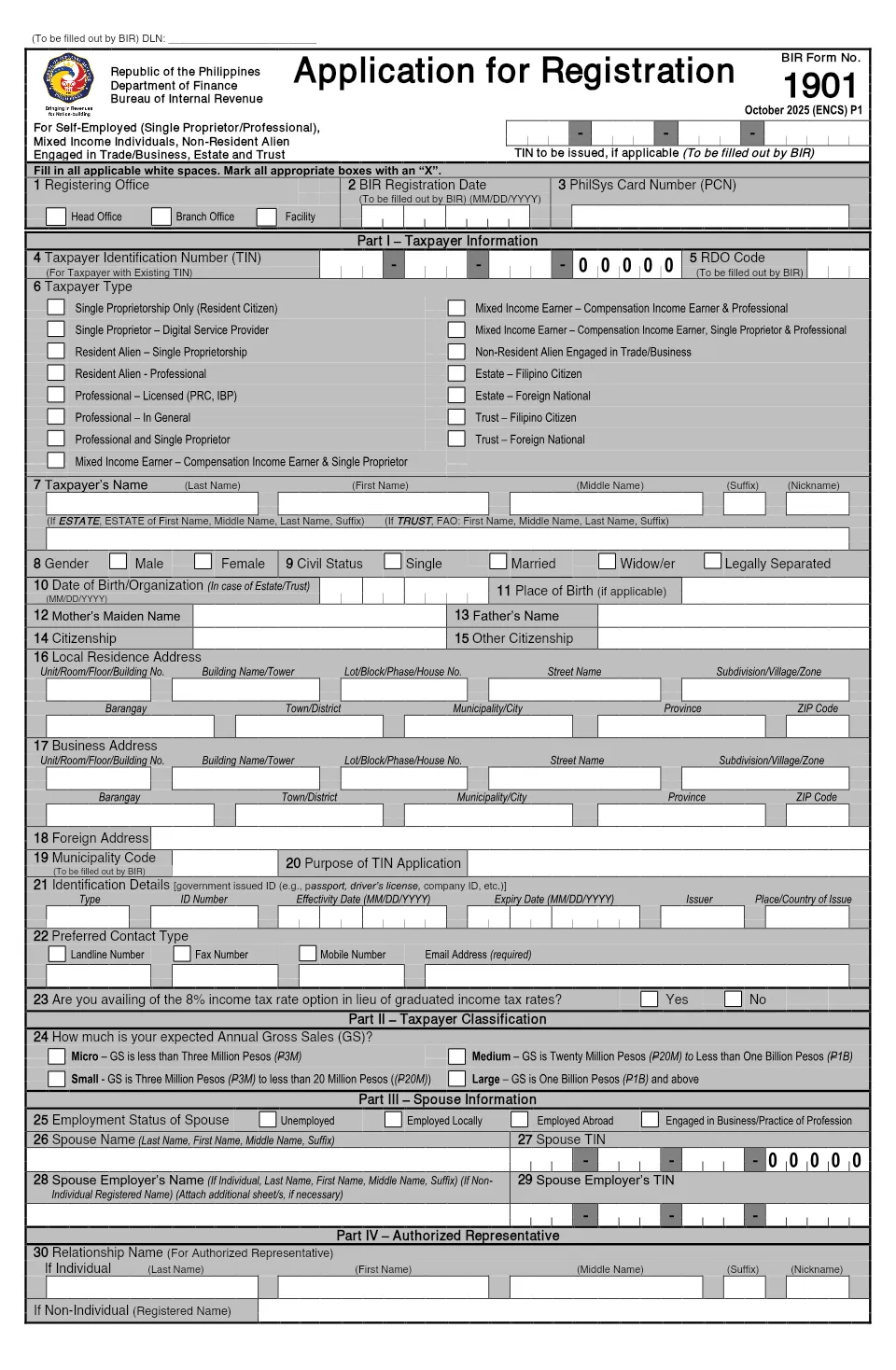
BIR Form No. 1901 is the application for registration of self-employed individuals (single proprietors and professionals), mixed income earners, and non-resident aliens engaged in trade or business. It's filed on or before you start your business. Answer plain questions and it prints the way the BIR asks: capital letters, boxes marked with an X, one character per box.
Uses the October 2025 (ENCS) edition from the official BIR page.
Missing something? Your answers save as you go, so you can finish later.
One section at a time, with hints for each item.
A live preview shows each answer landing in its box on the official form.
A PDF built on the official template, ready to print, sign and submit.
This one, with your TIN in item 4 ("For Taxpayer with Existing TIN"). Don't apply for a second TIN: the form warns that having more than one is criminally punishable.
No. Part VII is marked "To be filled out by BIR". It's left blank for the BIR, as are the other items the BIR fills in.
It's BIR Form No. 0605, for paying for BIR Printed Invoices. If you're buying them, your TIN, name and the year are filled in and your signature goes on the back. The BIR fills in the payment details.
Not yet. This version fills in the form for individuals. The estate and trust parts are left blank.
Yes. GovForms is free to use, with no sign-up.
Your answers are saved only in this browser, and the PDF is made on your device. GovForms never receives them.
It uses the October 2025 (ENCS) edition, the one the BIR publishes as of our last check. Agencies can revise a form at any time, so the official BIR page is linked above.
The PDF is the BIR's own template, filled in the way the form asks. GovForms is independent and not affiliated with the Bureau of Internal Revenue, so check with the office that will receive your form.
More on privacy and our disclaimer.
For freelancers and businesses on the 8% rate or OSD.